

01 / JOB MANAGEMENT
Every job, organised.
Assigned and upcoming washes, with service details in one place.
WASHY / MOBILE CAR CARE
Your car wash, without the car-wash trip. Download Washy, choose your service and book a time at a supported location that works for you.

Your phone opens the official Google Play listing.
FROM DOWNLOAD TO DOORSTEP
Bookings are made in the customer app—not on this website.
Open Google Play or scan the QR code on this page.
Register or sign in, then add your vehicle details.
Select a service, a supported address and an available time.
Review your booking and follow its progress in the app.
THE PEOPLE BEHIND YOUR SHINE
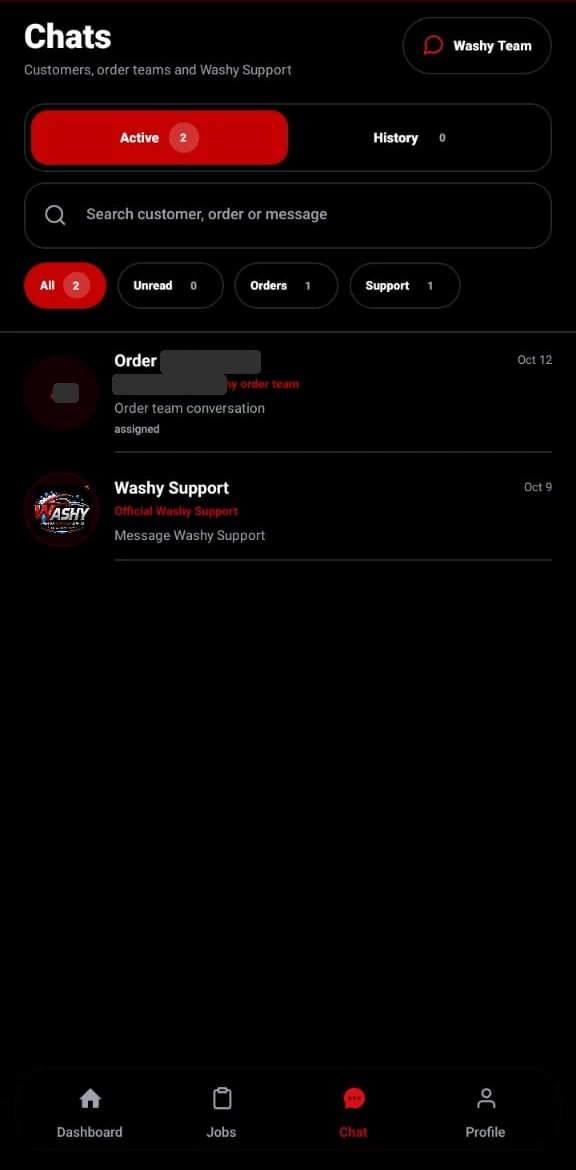
A good wash takes more than a booking button. Our team uses Washy to organise jobs, follow service progress and keep conversations in one place.
01 / JOB MANAGEMENT
Assigned and upcoming washes, with service details in one place.
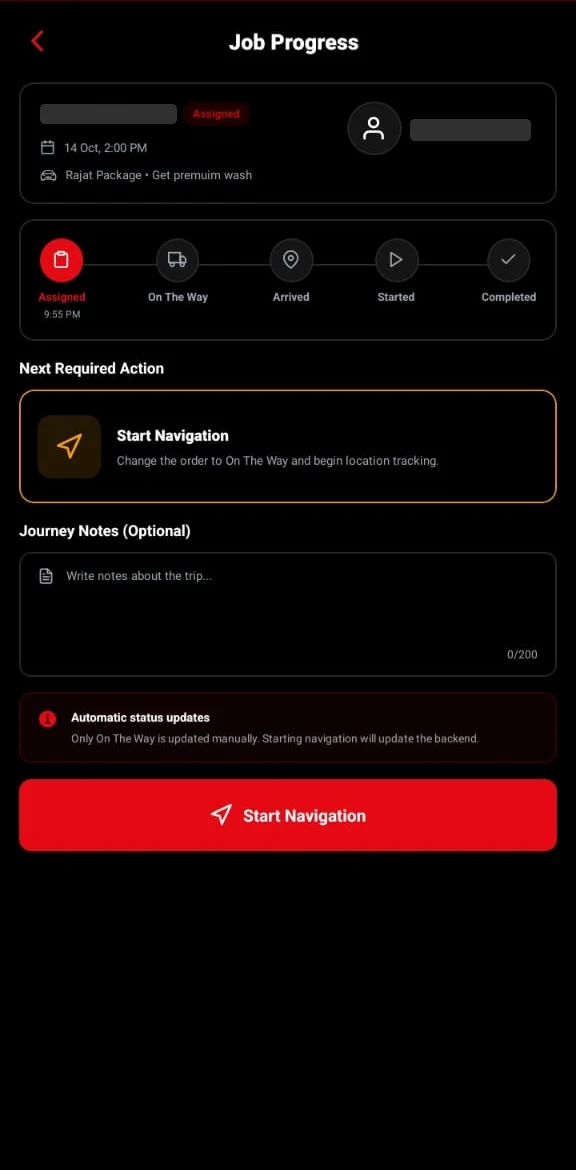
02 / JOB PROGRESS
A guided workflow helps the team follow each stage of a wash.
03 / COMMUNICATION
Order conversations and Washy support stay close to the work.
Swipe to explore · Tap a screen to enlarge
Actual Washy worker-app screens, shown in English. Identifying details are hidden. Customers book in the separate Washy customer app.
CAR CARE, YOUR WAY
Choose the care your car needs. Check the app for the services and prices available at your location.
For the outside of your car. Explore the available exterior wash options.
Explore servicesFor the cabin you spend time in. Choose an available interior-cleaning service.
Explore servicesBring exterior and interior care together where a complete wash is available.
Explore servicesService options, prices and booking times depend on your selected area.
YOUR NEXT WASH STARTS HERE
Install the customer app to register, add your car and arrange your next wash. No separate QR app is needed.
Scan with your phone camera and tap the detected link. The camera may ask you to confirm before opening the store.
Available on Google Play
Scan for Android
Google PlayComing soon
The official iPhone download will appear here when available.
Already on your phone? Tap the store button.
Bookings are completed in the Washy customer app. This page helps you download it. Register or sign in, add your car and choose your service, location and an available time.
Your camera recognises a direct link to Washy on Google Play. Tap that link to open the listing, install the app and register. There is no extra download website in between.
No. The screenshots show the Washy worker app to explain how the team organises jobs, follows progress and communicates. Customers use the separate Washy customer app linked on this page.
Enter your location in the customer app to check supported areas, service options and available booking times before confirming.
Yes. Washy supports English and Arabic. Use the language menu in the website header to view this page in Arabic.
The iPhone download is marked Coming soon until the official App Store link is configured. The Android download is available now.
YOUR NEXT WASH STARTS HERE
Find your service. Choose your time. Let the Washy team take it from there.